
Single Element Highlight
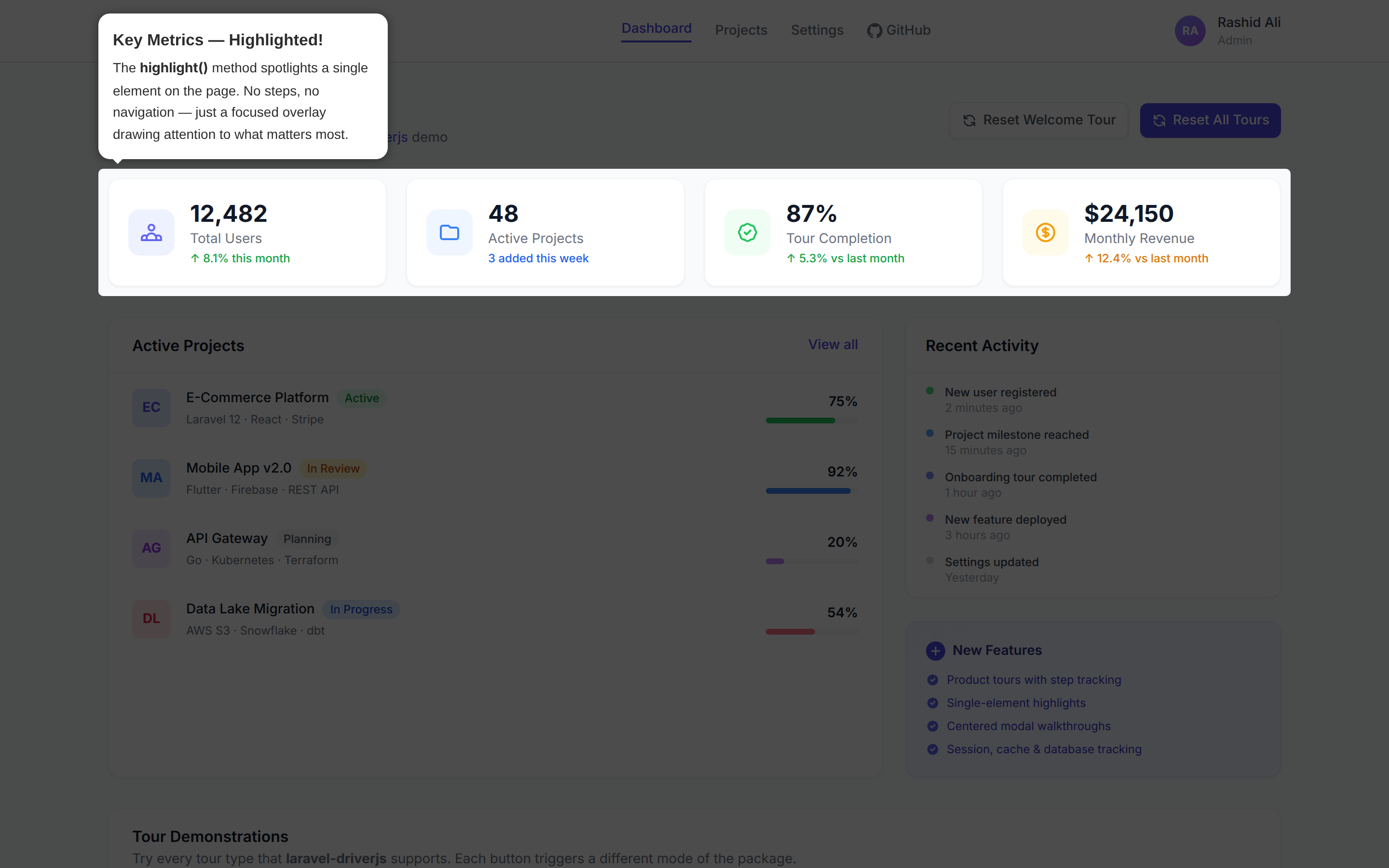
Sometimes you don't need a full tour — you just want to spotlight a single element on the page with a popover. Laravel Driver.js makes this easy with the highlight() method.
Method Signature
DriverJs::highlight(string $element, string $title, string $description = '');or
driverjs()->highlight(string $element, string $title, string $description = '');Parameters
$element(string): CSS selector for the target element.$title(string): Popover title text.$description(string, optional): Popover description text.
Example
Using DriverJs::highlight():
use RealRashid\LaravelDriverJs\Facades\DriverJs;

DriverJs::highlight('#new-feature', 'New Feature!', 'Check out this new feature we just added.')
    ->render();
Using the driverjs() helper:
driverjs()
    ->highlight('#new-feature', 'New Feature!', 'Check out this new feature we just added.')
    ->render();
In this example, we're highlighting the #new-feature element with a popover that says "New Feature!" as the title and provides a description.
Customizing the Highlight
Even though highlights are simpler than tours, you can still configure the overlay and other global options:
DriverJs::highlight('#new-feature', 'New Feature!', 'Check this out!')
    ->overlayColor('#1a1a2e')
    ->overlayOpacity(0.8)
    ->stagePadding(15)
    ->stageRadius(10)
    ->render();
Highlight with Custom Positioning
By default, highlights don't show navigation buttons. If you want to add buttons or change the popover position, use addStep() instead:
DriverJs::addStep('#new-feature')
    ->title('New Feature!')
    ->description('Check this out!')
    ->side('right')
    ->align('center')
    ->showButtons(['close'])
    ->showProgress(false);
Using the Blade Directive
You can also create highlights directly in your Blade templates:
@driverjsHighlight('#new-feature', 'New Feature!', 'Check this out!')Details
- When using
highlight(), navigation buttons and progress indicators are automatically hidden (since there's only one step). This matches the default Driver.js behavior for single highlights. - If you need to show buttons on a highlight, use the
addStep()approach and setshowButtons()manually. - The highlight is not tracked as a named tour — if you need completion tracking, create a single-step tour instead.
That's it! You're now equipped to create single-element highlights using Laravel Driver.js.