Confirm & Delete
The confirm and delete dialog patterns are among the most common use cases for SweetAlert2 in Laravel applications — especially before destructive actions like deleting a record. The package provides dedicated methods that handle the entire flow, including form submission.
Confirm Dialog
The confirm() method creates a two-button dialog with a warning icon and cancel button:
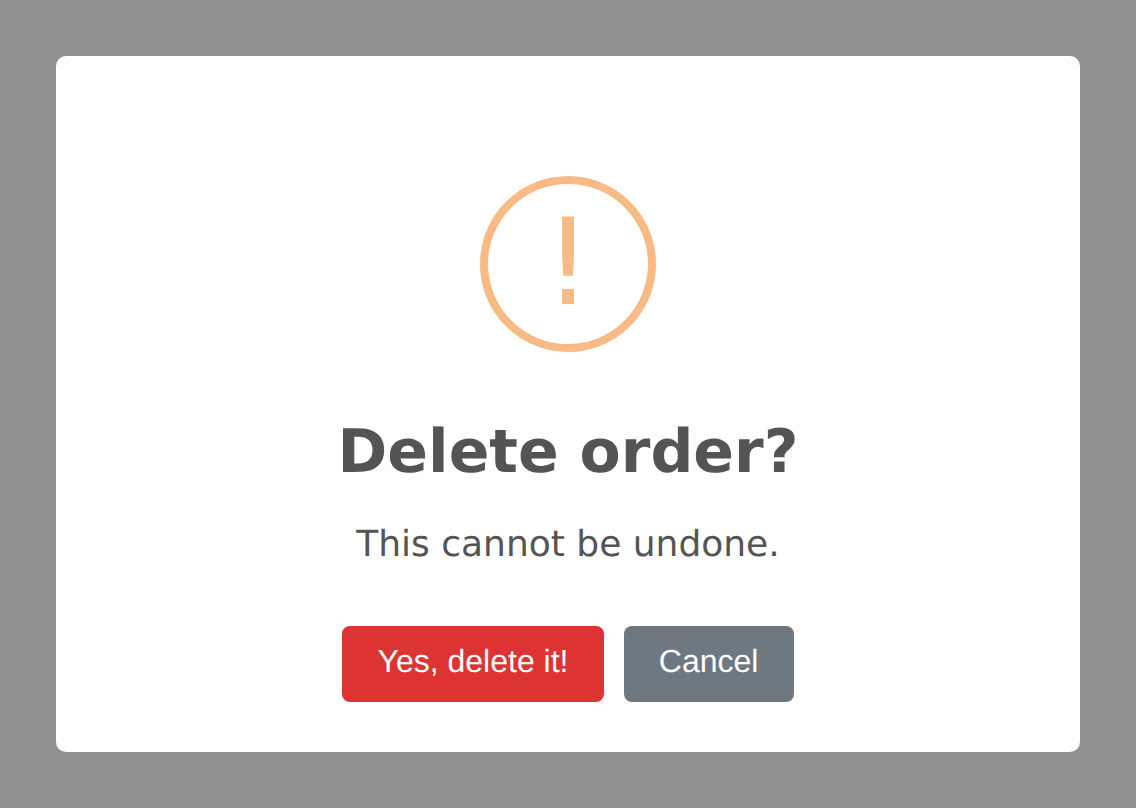
Alert::confirm('Are you sure?', 'This action cannot be undone.')->flash();This automatically configures:
- Warning icon
- Confirm button (text from config, default: "Yes, delete it!" with red color
#d33) - Cancel button (text from config, default: "Cancel")
- Timer removed (dialog stays until user interacts)
Customizing Buttons
Override the default button text and colors:
Alert::confirm('Proceed with checkout?')
    ->confirmButton('Yes, checkout', '#28a745')
    ->cancelButton('Cancel', '#6c757d')
    ->flash();
Confirm with Question Icon
The question() icon method automatically shows a cancel button, making it perfect for confirmation dialogs:
Alert::title('Save changes?')
    ->question()
    ->text('You have unsaved changes.')
    ->confirmButton('Save', '#28a745')
    ->cancelButton('Discard')
    ->flash();
Confirm Delete
The confirmDelete() method is a specialized version of confirm() that handles the full delete flow — including automatically creating and submitting a DELETE form when the user confirms. This is the most common pattern for resource deletion in Laravel.
Basic Usage
Alert::confirmDelete('Delete this post?')->flash();This configures:
- Warning icon
- Confirm button: "Yes, delete it!" (red,
#d33) - Cancel button: "Cancel"
- Close button hidden
- Loader shown on confirm button during submission
- ESC key and outside click disabled (user must choose)
- Automatically flashes to session as
alert.deletetype
With Description Text
Alert::confirmDelete('Delete this post?', 'This action is irreversible.')->flash();In Your Blade View
Add the data-confirm-delete attribute to any link that should ask before it deletes. Nothing has to be flashed first — the confirmation works on every page load:
<a href="{{ route('posts.destroy', $post) }}" data-confirm-delete>
    Delete Post
</a>
Changed in v8
In v7 the listener was only rendered on the request where confirmDelete() had been flashed. On any other render — a refresh, a page reached from elsewhere — the same link was an ordinary link, so the browser simply opened the URL with a GET. In v8 the listener is always there and its defaults come from the config, so a guarded link is guarded everywhere.
Customising One Link
Override the copy per element without touching the config:
<a href="{{ route('posts.destroy', $post) }}"
   data-confirm-delete
   data-confirm-title="Delete “{{ $post->title }}”?"
   data-confirm-text="This cannot be undone."
   data-confirm-button="Yes, delete it">
    Delete Post
</a>
In a Controller
You can still flash confirmDelete() to customise the dialog for one request. It overrides the defaults for that render only:
public function edit(Post $post)
{
    Alert::confirmDelete('Delete this post?', $post->title)->flash();

    return view('posts.edit', compact('post'));
}
When the user clicks this link:
- The click event is intercepted (the default navigation is prevented)
- The SweetAlert2 confirm dialog is shown
- If the user clicks "Yes, delete it!", a hidden
<form>is created withmethod="POST"and_method=DELETE, including the CSRF token - The form is submitted to the link's
hrefURL - This triggers your Laravel
destroy()controller method as a normal DELETE request
No additional JavaScript is required — the Blade view handles everything automatically.
Confirming Anything Else
data-confirm guards any action, not just deletes. Set the method you need:
<a href="{{ route('posts.publish', $post) }}" data-confirm data-confirm-method="PUT">
    Publish
</a>
Forms work the same way — put the attribute on the form and it asks before it submits:
<form method="POST" action="{{ route('orders.refund', $order) }}" data-confirm
      data-confirm-title="Refund this order?">
    @csrf
    <button type="submit">Refund</button>
</form>
Defaults for these come from the confirm block in config/sweetalert.php, and the same data-confirm-title, data-confirm-text, data-confirm-icon, data-confirm-button and data-confirm-cancel attributes apply.
If you would rather wire confirmations up yourself, set confirm.auto to false and the listener is not rendered at all.
Sending the Answer to a Route
A dialog on its own only asks a question — the answer is gone the moment it closes. submitTo() posts it to a route instead:
Alert::input('What should we call you?')
    ->inputPlaceholder('Rashid Ali')
    ->submitTo(route('profile.name'), 'POST', 'name')
    ->flash();
On confirm the package builds a form with the CSRF token, the method you asked for, and the typed value under the field name you gave, then submits it. Your route receives an ordinary request:
Route::post('/profile/name', function (Request $request) {
    auth()->user()->update(['name' => $request->input('name')]);

    Alert::success('Name updated');

    return back();
})->name('profile.name');
It works for any alert, not only inputs — on a plain confirm there is no value to send, so the route just receives the confirmation.
How It Works Under the Hood
The @sweetAlert directive renders a small listener on every page. When a guarded element is clicked, or a guarded form is submitted, it:
- Loads SweetAlert2 if the page has not already loaded it, so a page with only a guarded link ships no JavaScript until someone actually clicks
- Reads the dialog options from the config, then from any
data-confirm-*attributes on the element - Shows the confirmation
- On confirm, builds a form carrying
@csrfand the right@method, and submits it to the element'shref— or submits the guarded form itself
If SweetAlert2 cannot be reached at all, the browser's own confirm() is used instead. A guarded action never goes through unasked because a CDN was down.
Customizing Delete Settings
The default text and colors for delete confirmations are configured in config/sweetalert.php:
'confirm_delete' => [
    'icon' => 'warning',
    'confirm_button_text' => 'Yes, delete it!',
    'confirm_button_color' => '#d33',
    'cancel_button_text' => 'Cancel',
    'show_close_button' => false,
    'show_cancel_button' => true,
    'show_loader_on_confirm' => true,
],
Override any of these values to customize the default behavior across your entire application.
Three-Way Confirm (with Deny Button)
For scenarios where users need three choices (e.g., Save / Don't Save / Cancel), use the deny button:
Alert::title('Save changes before leaving?')
    ->question()
    ->confirmButton('Save', '#28a745')
    ->denyButton("Don't save", '#6c757d')
    ->cancelButton('Cancel')
    ->showCloseButton()
    ->flash();
In your frontend JavaScript, handle the deny result:
Swal.fire({...}).then((result) => {
    if (result.isConfirmed) {
        // Save and proceed
    } else if (result.isDenied) {
        // Proceed without saving
    }
});
Pre-Confirm with Async Validation
For confirmations that require server-side validation (e.g., checking if a resource can be deleted), use preConfirmRoute():
Alert::confirmDelete('Delete this user?')
    ->preConfirmRoute(route('users.can-delete', $user))
    ->flash();
Your route handler can prevent the deletion by returning a validation error:
Route::post('/users/{user}/can-delete', function (User $user) {
    if ($user->hasActiveSubscriptions()) {
        return response()->json([
            'valid' => false,
            'message' => 'Cannot delete user with active subscriptions.',
        ]);
    }

    return response()->json(['valid' => true]);
})->name('users.can-delete');