Timer & Persistence
The HasTimer trait provides methods for controlling auto-close behavior, progress bars, and dialog persistence. These options determine how long an alert stays visible and how users can dismiss it.
Auto-Close Timer
Set the auto-close timer in milliseconds. The dialog will automatically close when the timer expires:
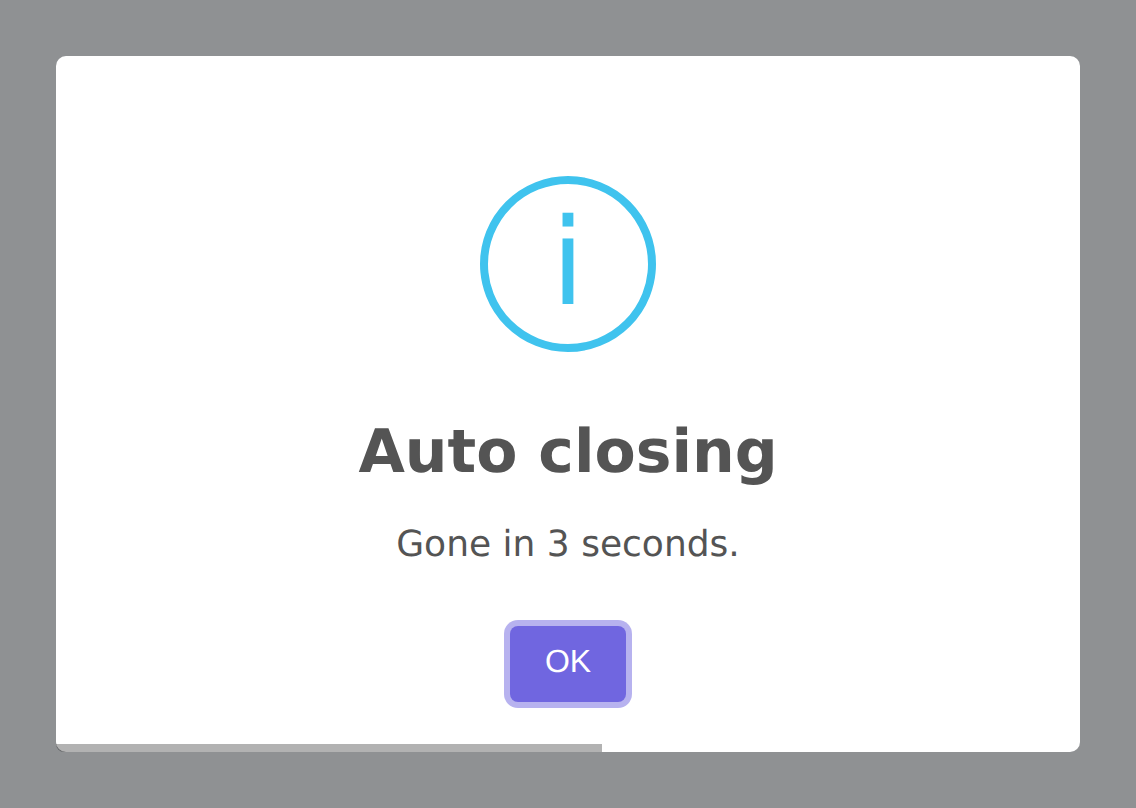
Alert::title('Auto-closing alert')
    ->success()
    ->timer(3000)  // Close after 3 seconds
    ->flash();
autoClose() Alias
autoClose() is an alias for timer(). Use whichever reads better in your context:
Alert::toast('Saved!', 'success')
    ->autoClose(3000)
    ->flash();
Timer Progress Bar
Show a visual progress bar at the bottom of the popup that counts down the remaining time:
Alert::toast('Saving...', 'info')
    ->timer(5000)
    ->timerProgressBar()
    ->flash();
The progress bar is enabled by default for toast notifications but disabled for modal alerts. You can explicitly disable it:
Alert::toast('No progress bar', 'info')
    ->timerProgressBar(false)
    ->flash();
Customizing the Progress Bar
The progress bar can be styled using the customClass option with the timerProgressBar key in your CSS:
.swal2-timer-progress-bar {
    background: rgba(40, 167, 69, 0.6);
    height: 4px;
}
Persistent Dialogs
Make a dialog persistent — it cannot be dismissed by the timer, ESC key, or clicking outside:
Alert::title('Important!')
    ->warning()
    ->text('You must read this carefully before proceeding.')
    ->persistent()
    ->flash();
The persistent() method:
- Removes the auto-close timer
- Disables the ESC key (
allowEscapeKey = false) - Disables outside click dismiss (
allowOutsideClick = false) - Shows the confirm button by default
Persistent with Close Button
Show a close button alongside the confirm button for persistent dialogs:
Alert::title('Please confirm')
    ->persistent(showConfirmBtn: true, showCloseBtn: true)
    ->flash();
Persistent Without Buttons
If you want the dialog to persist but only be closable programmatically:
Alert::title('Processing...')
    ->persistent(showConfirmBtn: false, showCloseBtn: false)
    ->showLoaderOnConfirm()
    ->flash();
Timer Interaction with Buttons
When you call showConfirmButton(), showCancelButton(), or showDenyButton(), the auto-close timer is automatically removed. This is because buttons require user interaction — it wouldn't make sense to auto-close a dialog that's waiting for a button click.
Alert::title('Choose an option')
    ->warning()
    ->showCancelButton()  // Timer is removed automatically
    ->flash();
If you want both buttons and a timer, set the timer after the button methods:
Alert::title('Hurry up!')
    ->warning()
    ->showCancelButton()
    ->timer(10000)  // Timer set after button — this works
    ->timerProgressBar()
    ->flash();
Default Timer Values
| Alert Type | Default Timer | Source |
|---|---|---|
| Modal alerts | 5000ms | config('sweetalert.timer') |
| Toast notifications | 5000ms | config('sweetalert.toast.auto_close') |
| Confirm dialogs | None | No timer (requires user action) |
| Delete confirmations | None | No timer (requires user action) |
Real-World Examples
Quick Auto-Closing Success Toast
Alert::toast('Profile updated', 'success')
    ->autoClose(2000)
    ->timerProgressBar()
    ->position('bottom-end')
    ->flash();
Important Persistent Warning
Alert::title('Terms of Service Update')
    ->warning()
    ->text('You must accept the new terms to continue using the service.')
    ->persistent(showCloseBtn: true)
    ->confirmButton('I Accept', '#28a745')
    ->footer('<a href="/terms">Read the full terms</a>')
    ->flash();
Timed Confirmation
Alert::title('Session Expiring')
    ->warning()
    ->text('Your session will expire in 30 seconds. Click to extend.')
    ->timer(30000)
    ->timerProgressBar()
    ->confirmButton('Extend Session', '#3085d6')
    ->showCancelButton('Log out now', '#dc3545')
    ->flash();
Stop Keydown Propagation
By default, SweetAlert2 stops keyboard events from propagating to the rest of the page while the dialog is open. Disable this if you need keyboard events to pass through (e.g., when the dialog hosts a custom component that listens for keyboard input):
Alert::title('Keyboard pass-through')
    ->stopKeydownPropagation(false)
    ->flash();
Keydown Listener Capture Phase
Control whether SweetAlert2's internal keydown listener runs in the capture phase. Enable capture-phase listening when another listener on the page intercepts events before they reach SweetAlert2:
Alert::title('Capture phase')
    ->keydownListenerCapture()
    ->flash();
Pass false to restore the default bubble-phase behavior:
Alert::title('Bubble phase')
    ->keydownListenerCapture(false)
    ->flash();