
Counter Card
One code, printed once, left on the counter all day. No amount — the customer types the figure themselves.
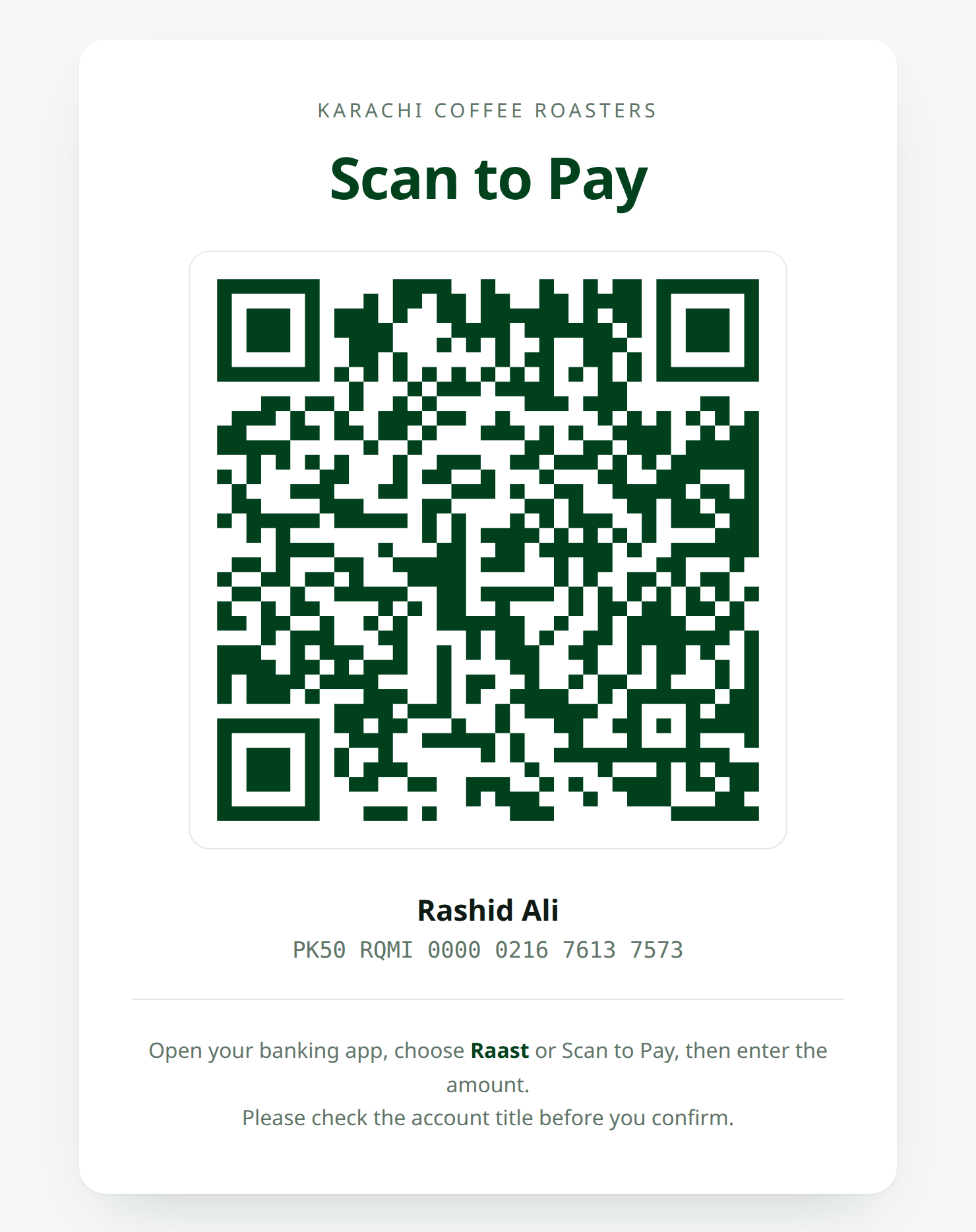
Generating It
php artisan raast-qr:generate PK33ABCD0000000000000000 \
    --output=storage/app/counter-card.svg \
    --size=1200 \
    --margin=4 \
    --color='#01411C'
Or in code:
RaastQr::iban(config('raast-qr.iban'))
    ->format('svg')
    ->size(1200)
    ->margin(4)
    ->color('#01411C')
    ->save(storage_path('app/print/counter-card.svg'));
Why SVG
A counter card gets printed, and print wants vectors. An SVG scales to A5, A4 or a shop window poster with a perfectly crisp edge. A 1200px PNG blown up to A3 will not.
A Print-Ready Page
{{-- resources/views/print/counter-card.blade.php --}}
<!DOCTYPE html>
<html>
<head>
    <meta charset="utf-8">
    <title>Scan to pay</title>
    <style>
        @page { size: A5; margin: 12mm; }
        body {
            font-family: system-ui, sans-serif;
            text-align: center;
            color: #01411C;
        }
        .qr { width: 90mm; margin: 8mm auto; }
        .qr svg { width: 100%; height: auto; }
        h1 { font-size: 28pt; margin: 0; }
        .title { font-size: 16pt; margin-top: 6mm; }
        .iban { font-family: ui-monospace, monospace; font-size: 12pt; }
        .note { font-size: 10pt; color: #4b5563; margin-top: 8mm; }
    </style>
</head>
<body>
    <h1>Scan to Pay</h1>

    <div class="qr">
        {!! RaastQr::iban(config('raast-qr.iban'))->size(600)->color('#01411C')->toSvg() !!}
    </div>

    <p class="title">{{ config('raast-qr.account_title') }}</p>
    <p class="iban">{{ RaastQr::formatIban(config('raast-qr.iban')) }}</p>

    <p class="note">
        Open your banking app, choose Raast or Scan to Pay, then enter the amount.
        Please check the account title before you confirm.
    </p>
</body>
</html>
Adding Your Logo
RaastQr::iban(config('raast-qr.iban'))
    ->format('svg')
    ->size(1200)
    ->color('#01411C')
    ->errorCorrection('H')
    ->logo(public_path('brand/mark.png'), size: 200)
    ->save(storage_path('app/print/counter-card.svg'));
Test the printed card, not the screen
A logo that scans perfectly on your monitor can fail on a card printed at 300dpi under fluorescent light. Print one, scan it with three different phones, then print the rest.
Practical Notes
- Print at least A5. A code smaller than about 5cm is a struggle for older phone cameras across a counter.
- Laminate it. A code with a coffee ring through it is why you set
errorCorrection('H'), but don't push your luck. - Keep contrast high. Dark green on white. Not grey on cream.
- Put the account title on the card. People compare it against what their app shows. That comparison is the whole security model.
Reconciliation Reality
Every payment through one static code lands in the same account with the amount the customer typed and no reference at all.
That's fine for a small stall. For anything with volume, you'll want either a screenshot-on-payment habit at the counter, or Raast P2M through an acquirer that gives you real settlement reporting.
Made with ❤️ from Pakistan