
Point of Sale
On a POS terminal, you usually don't want an image at all. Thermal printers have a native QR command and want the payload string.
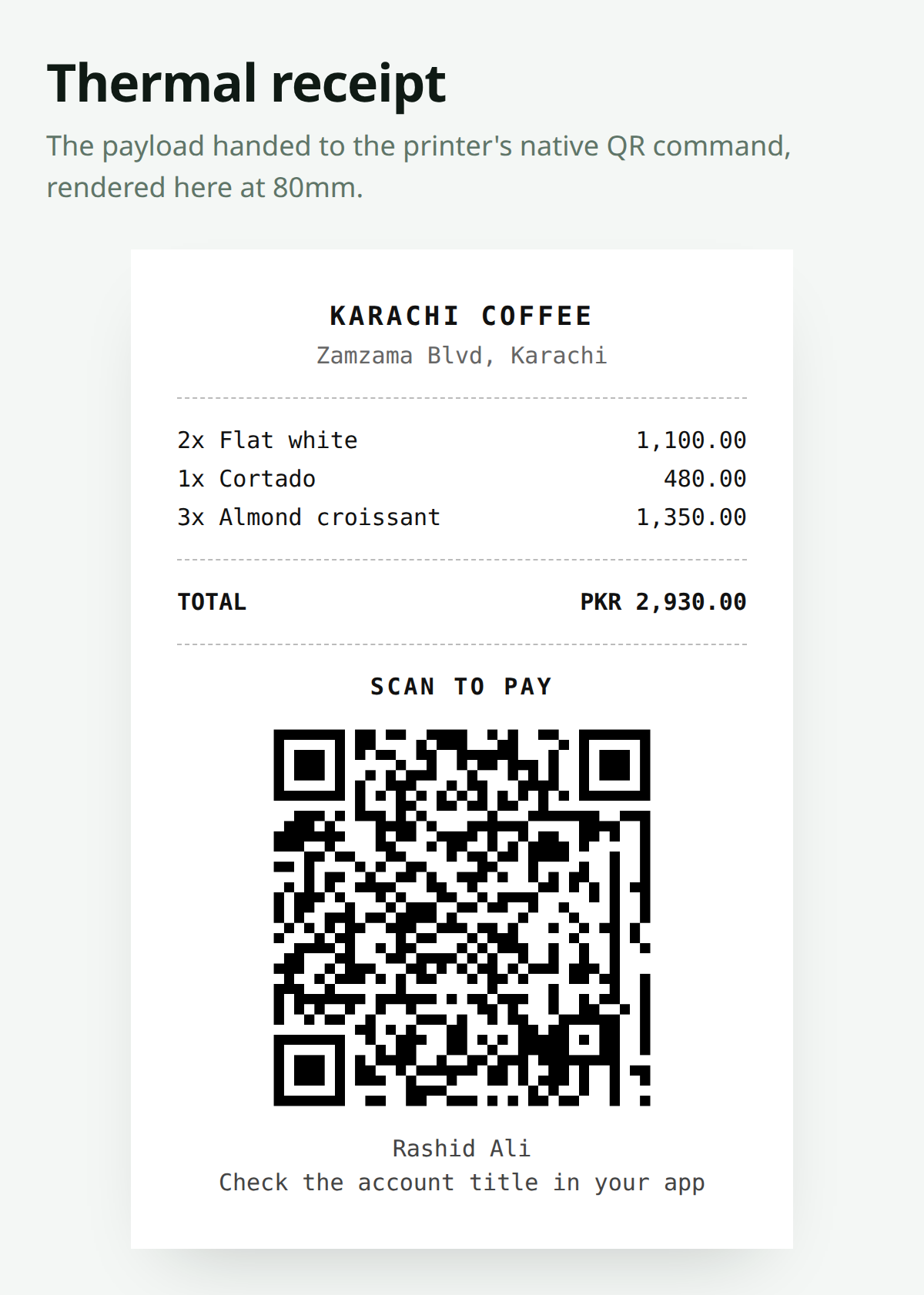
Printing the Payload
$payload = RaastQr::make()->amount($sale->total)->toPayload();With mike42/escpos-php:
use Mike42\Escpos\Printer;
use Mike42\Escpos\PrintConnectors\NetworkPrintConnector;

$printer = new Printer(new NetworkPrintConnector('192.168.1.50', 9100));

$printer->setJustification(Printer::JUSTIFY_CENTER);
$printer->text("SCAN TO PAY\n");
$printer->text('PKR ' . number_format($sale->total, 2) . "\n\n");

$printer->qrCode($payload, Printer::QR_ECLEVEL_H, 8);

$printer->text("\n" . config('raast-qr.account_title') . "\n");
$printer->text("Check the account title in your app\n");
$printer->cut();
$printer->close();
Error Correction on Thermal Paper
Thermal receipts smudge, fade and get folded into pockets. Use the highest error correction your printer offers — QR_ECLEVEL_H above — and print the code reasonably large. Module size 8 is a sensible floor on 80mm paper.
On a Customer-Facing Display
If the terminal has a second screen, skip printing entirely:
Route::get('/pos/display/qr', function (Request $request) {
    return RaastQr::make()
        ->amount($request->query('amount'))
        ->size(500)
        ->color('#01411C')
        ->format('svg');
});
Cheaper, greener, and the customer can zoom in.
Static Fallback
Keep a printed static card at the till for when the network is down or the terminal is busy. See Counter Card.
RaastQr::iban(config('raast-qr.iban'))->format('svg')->size(1200)->toSvg();Amount Precision
POS totals are the classic place for floating-point drift to appear, because they're the sum of many line items:
// Risky
$total = $items->sum(fn ($i) => $i->price * $i->qty);

// Better — work in paisa, format once at the end
$paisa = $items->sum(fn ($i) => $i->price_paisa * $i->qty);
$amount = number_format($paisa / 100, 2, '.', '');

RaastQr::make()->amount($amount)->toPayload();
See Setting the Amount.
Reconciliation at the Till
Every P2P payment arrives with no reference. At a busy counter, the practical habit is:
- Cashier reads the amount aloud
- Customer scans, pays, shows the confirmation screen
- Cashier matches the amount and time, then completes the sale
It's a manual step, and it's the honest cost of P2P. If your volume makes that painful, that's the signal to move to Raast P2M through an SBP-licensed acquirer.
Made with ❤️ from Pakistan