
Invoice QR
Attach a scannable code to an invoice so a client pays the exact amount without retyping anything.
The Route
use RealRashid\RaastQr\Facades\RaastQr;

Route::get('/invoices/{invoice}/qr', function (Invoice $invoice) {
    abort_unless($invoice->client_id === auth()->id(), 403);

    return RaastQr::make()
        ->amount($invoice->total)
        ->expiry($invoice->due_at)
        ->size(600)
        ->color('#01411C')
        ->format('svg');
})->middleware('auth')->name('invoices.qr');
The View
<div class="invoice-payment">
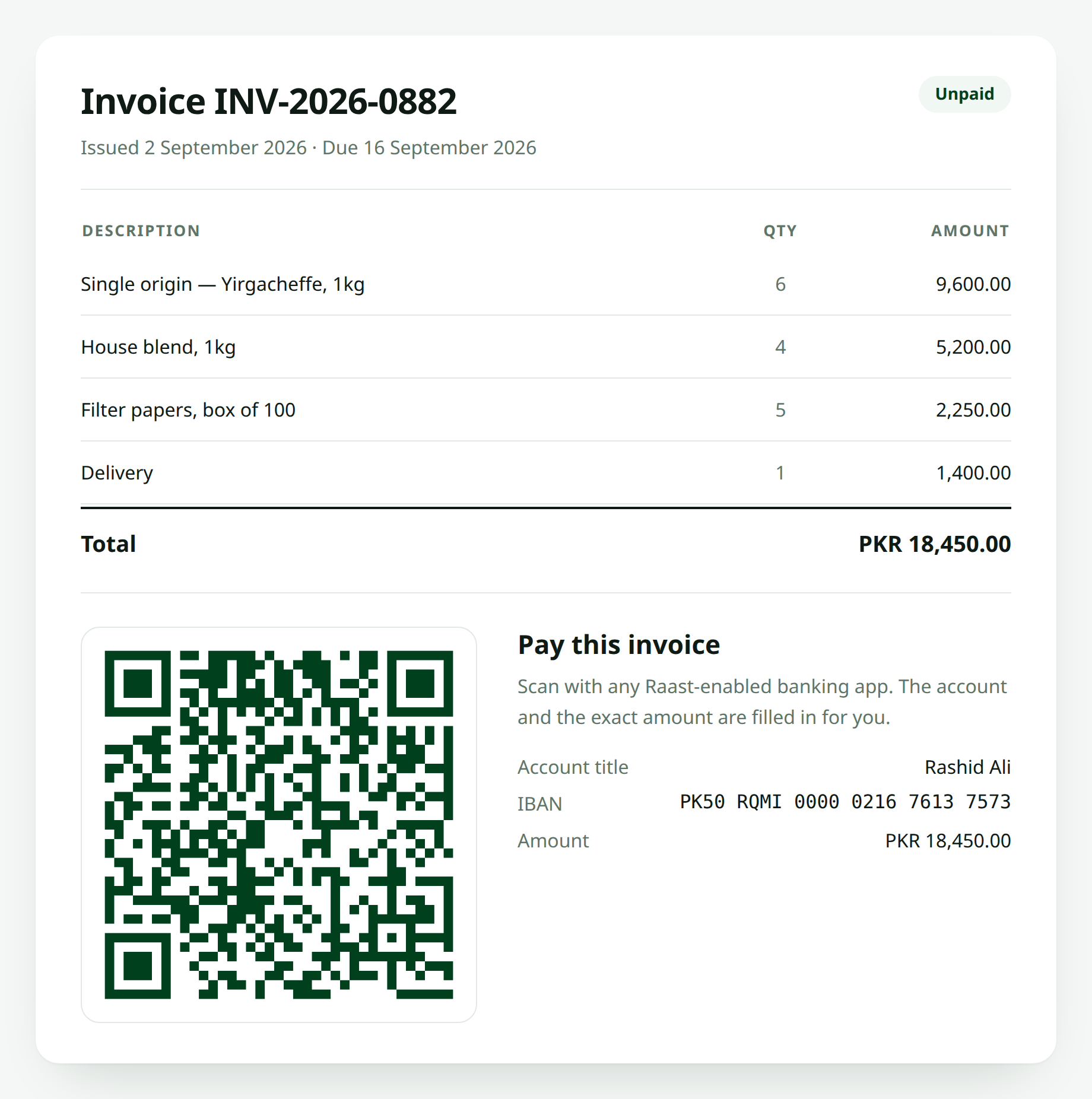
    <h3>Pay this invoice</h3>

    <x-raast-qr
        :amount="$invoice->total"
        :expiry="$invoice->due_at"
        size="300"
        color="#01411C"
        class="mx-auto my-4"
    />

    <dl class="text-sm">
        <dt>Amount</dt>
        <dd>PKR {{ number_format($invoice->total, 2) }}</dd>

        <dt>Account</dt>
        <dd>{{ RaastQr::formatIban(config('raast-qr.iban')) }}</dd>

        <dt>Account title</dt>
        <dd>{{ config('raast-qr.account_title') }}</dd>
    </dl>

    <p class="text-sm text-gray-600">
        Scan with any Raast-enabled banking app. Please confirm the account
        title in your app before you send.
    </p>
</div>
Showing the IBAN in text as well as in the code is worth the space. Some people will always prefer to type it, and some apps still don't scan.
Inside a PDF
Most PDF libraries take an image. Generate an SVG or a data URL and drop it in:
$pdf = Pdf::loadView('invoices.pdf', [
    'invoice' => $invoice,
    'qr' => RaastQr::make()
        ->amount($invoice->total)
        ->expiry($invoice->due_at)
        ->size(400)
        ->toDataUrl(),
]);{{-- resources/views/invoices/pdf.blade.php --}}
<img src="{{ $qr }}" width="160" height="160" alt="Scan to pay">Expiry and Due Dates
Setting expiry to the invoice due date reads well, but remember:
The expiry is a hint, not a lock
Many banking apps ignore the field entirely and will scan the code long after the date. If an overdue invoice genuinely must stop being payable, gate the route:
abort_if($invoice->isVoid(), 410);Per-Vendor Accounts
For a marketplace, pass the vendor's IBAN rather than relying on config:
RaastQr::make()
    ->iban($invoice->vendor->iban)
    ->amount($invoice->total)
    ->expiry($invoice->due_at)
    ->format('svg');
And leave config('raast-qr.iban') as null, so a vendor with a missing IBAN throws INVALID_OPTIONS instead of quietly routing money to your own account.
Reconciliation
The P2P format carries no reference field, so a payment arrives in your bank statement with an amount and a sender, and nothing tying it to invoice #882.
Practical approaches:
- Make each invoice total unique by adding a few paisa (
1500.07) - Ask for a screenshot on a confirmation step
- Move to Raast P2M through an acquirer if volume justifies it
Made with ❤️ from Pakistan