
Styling the QR
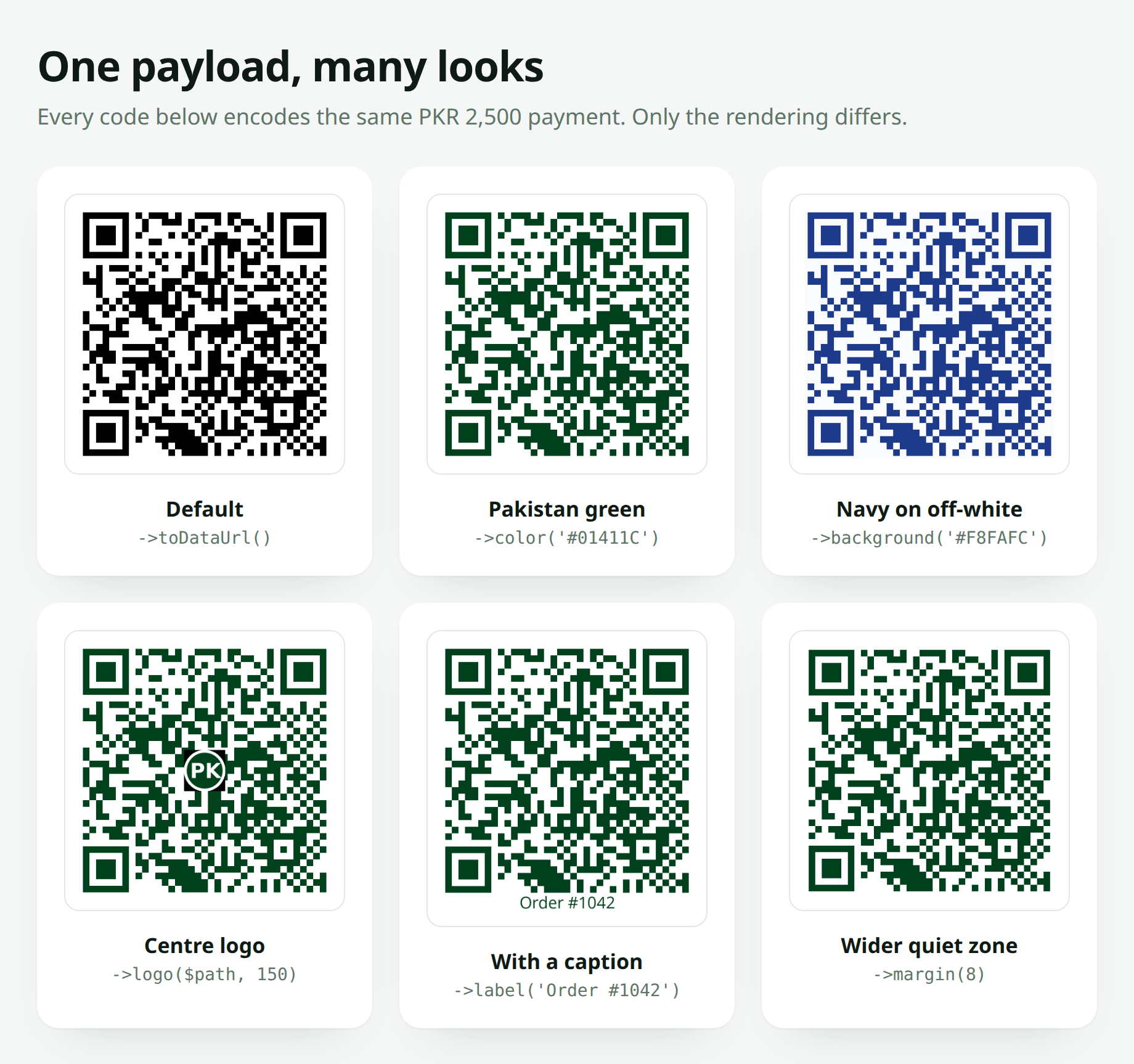
Every code above encodes the same PKR 2,500 payment. Only the rendering differs.
Size
RaastQr::make()->size(600)->toPng();The edge length in pixels. The default is 900, which is generous enough for print and downscales cleanly for the web.
For SVG, size sets the declared width and height, but the output scales to anything.
Margin
RaastQr::make()->margin(4)->toPng();The quiet zone around the code, measured in modules rather than pixels.
Four is the floor
The QR specification requires a four-module quiet zone. Scanners use it to find the code's edges. Dropping to 1 or 0 to save space is the second most common cause of a code that will not scan.
Colours
RaastQr::make()
    ->color('#01411C')
    ->background('#FFFFFF')
    ->toPng();
Accepted formats:
->color('#01411C')      // six-digit hex
->color('#0f0')         // three-digit shorthand
->color('#01411CFF')    // eight-digit with alpha
->color([1, 65, 28])    // [r, g, b]
Keep the contrast high
A scanner is looking for a hard light/dark boundary. These work:
->color('#000000')->background('#FFFFFF')   // safest
->color('#01411C')->background('#FFFFFF')   // Pakistan green, plenty of contrast
->color('#1e3a8a')->background('#F8FAFC')   // dark navy on near-white
These will cause you grief:
->color('#9CA3AF')->background('#FFFFFF')   // grey on white, too light
->color('#01411C')->background('#0F172A')   // dark on dark
->color('#FFFFFF')->background('#01411C')   // inverted; many scanners refuse
Test on a bad phone
Before you print anything in quantity, scan it with the cheapest phone in the office, in poor light, from an angle. That's the real test.
Render at 2× the display size
This one bites people on retina screens.
If you generate a 300px code and display it at 300 CSS pixels, a 2× device asks the browser to draw it at 600 physical pixels. The browser upscales and smooths the edges, and a QR with soft edges is a QR that some phones will refuse.
{{-- Blurry on a retina screen --}}
<x-raast-qr :amount="$order->total" size="300" />

{{-- Crisp: render at 600, display at 300 --}}
<x-raast-qr :amount="$order->total" size="600" style="width:300px;height:300px" />
Downscaling is safe; upscaling is not. Generate at twice the size you intend to show, or use SVG, which sidesteps the question entirely:
<x-raast-qr :amount="$order->total" format="svg" size="300" />Longer payloads feel this more
A code carrying an amount and an expiry has more modules than a static one, so each module is smaller and blurring hurts sooner. If you only fix this in one place, fix it where the amount is included.
Error Correction
RaastQr::make()->errorCorrection('H')->toPng();| Level | Recovers | Use when |
|---|---|---|
L | ~7% | Clean digital display, smallest code |
M | ~15% | General purpose |
Q | ~25% | Print that may scuff |
H | ~30% | Anything with a logo, or a code that will live on paper |
The default is H. It makes the code slightly denser but survives a centre logo, a coffee ring and a fold.
Combining It All
RaastQr::make()
    ->amount($order->total)
    ->size(720)
    ->margin(4)
    ->color('#01411C')
    ->background('#FFFFFF')
    ->errorCorrection('H')
    ->toDataUrl();
Or set the whole lot as defaults in config/raast-qr.php and never repeat yourself. See Configuration.
Made with ❤️ from Pakistan