
Sending on WhatsApp
Replying to a customer with a wall of digits invites mistakes. Replying with an image they can scan doesn't.
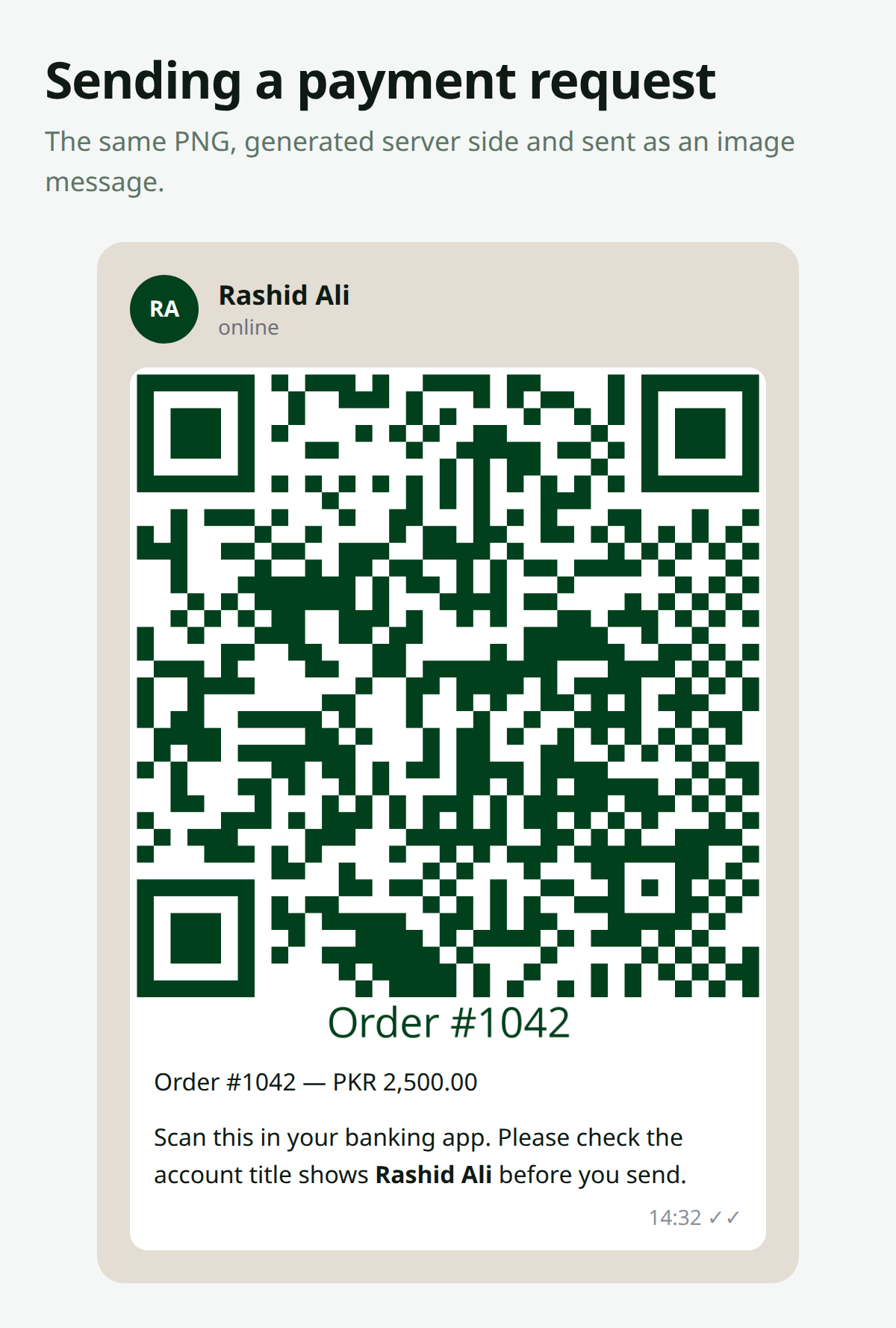
Generating the Image
$png = RaastQr::make()
    ->amount($order->total)
    ->size(800)
    ->color('#01411C')
    ->label('Order #' . $order->id)
    ->toPng();
A baked-in label is worth it here. The image travels on its own, with no page around it to give it context.
Saving It for a Provider
Most WhatsApp Business API providers want a publicly reachable URL:
$path = RaastQr::make()
    ->amount($order->total)
    ->size(800)
    ->label('Order #' . $order->id)
    ->store('qr/order-' . $order->id . '.png', 'public');

$url = Storage::disk('public')->url($path);
Clean these up
A public URL is a URL anyone can share. It can't be used to take money — a Raast QR only sends money to an account — but it does expose your IBAN and the order total. Prune them on a schedule:
Schedule::call(fn () => collect(Storage::disk('public')->files('qr'))
    ->filter(fn ($f) => Storage::disk('public')->lastModified($f) < now()->subDays(7)->timestamp)
    ->each(fn ($f) => Storage::disk('public')->delete($f))
)->daily();
Sending It
The exact call depends on your provider. The shape is usually this:
Http::withToken(config('services.whatsapp.token'))
    ->post(config('services.whatsapp.url') . '/messages', [
        'messaging_product' => 'whatsapp',
        'to' => $order->customer->phone,
        'type' => 'image',
        'image' => [
            'link' => $url,
            'caption' => "Order #{$order->id} — PKR " . number_format($order->total, 2)
                . "\n\nScan this in your banking app. Please check the account "
                . "title shows " . config('raast-qr.account_title') . " before you send.",
        ],
    ]);
As a Job
Image generation plus an HTTP call has no business sitting in a web request:
class SendPaymentQr implements ShouldQueue
{
    public function __construct(public Order $order) {}

    public function handle(): void
    {
        $path = RaastQr::make()
            ->amount($this->order->total)
            ->size(800)
            ->label('Order #' . $this->order->id)
            ->store('qr/order-' . $this->order->id . '.png', 'public');

        // ... send it
    }
}
By Email Instead
For email, attach the PNG rather than linking it, so nothing has to be publicly reachable:
class PaymentRequest extends Mailable
{
    public function attachments(): array
    {
        return [
            Attachment::fromData(
                fn () => RaastQr::make()->amount($this->order->total)->toPng(),
                'scan-to-pay.png'
            )->withMime('image/png'),
        ];
    }
}
What to Say Alongside It
Whatever the channel, the caption matters as much as the code:
- The amount, in words a person reads
- The account title they should expect to see
- A nudge to check it before confirming
A QR removes typing mistakes. It doesn't remove the need for someone to look at who they're paying.
Made with ❤️ from Pakistan